



Choosing an eBook format is not just a technical decision. It affects readability, accessibility, distribution options, and even how you protect your work.
For most indie authors, the choice comes down to EPUB vs PDF. They are both widely used, but they are designed for different reading experiences. EPUB is built for flexible, device-friendly reading, while PDF is built for page fidelity.
This guide breaks down the real-world differences, when each format makes sense, and how DRM and distribution choices influence what you should publish.
Quick takeaway
- Choose EPUB for most novels and text-forward nonfiction, especially if you want the best experience across phones, tablets, and eReaders.
- Choose PDF when layout must stay exactly as designed (workbooks, forms, manuals, complex visual books), or when you are delivering direct to customers who expect a document-style experience.
- If you need “fixed layout,” remember this: fixed layout does not automatically mean PDF. Fixed-layout EPUB is a real thing, and many retailers support fixed-layout workflows.
What is a PDF eBook
A PDF (Portable Document Format) is designed to preserve a page exactly as it was laid out. That is why PDFs are common for printing, worksheets, internal documents, and any content where spacing and placement matter.
Because the layout is fixed, a PDF usually looks consistent across devices. The tradeoff is that fixed pages can be harder to read on small screens, and resizing text does not behave as smoothly as it does in reflowable formats.
There is also an important nuance: some PDF readers support Reflow, which can convert the text into a single column for easier reading on smaller screens. This depends heavily on how the PDF was created (tagging and structure matter), and it is not guaranteed in every PDF or app.
What is an EPUB eBook
EPUB is the most common open eBook format for “book-like” reading experiences. EPUB 3 is maintained as a W3C standard and is built on web technologies like HTML and CSS, which is why it behaves more like a responsive webpage than a printed page.
Most EPUBs are reflowable, meaning the text adapts to different screens and user preferences. Readers can often change font size, font family, margins, line spacing, and sometimes theme (light, dark, sepia) inside their reading app.
EPUB can also be created as fixed layout for highly designed books, where the page is intended to remain pre-paginated.
EPUB vs PDF: the differences that matter
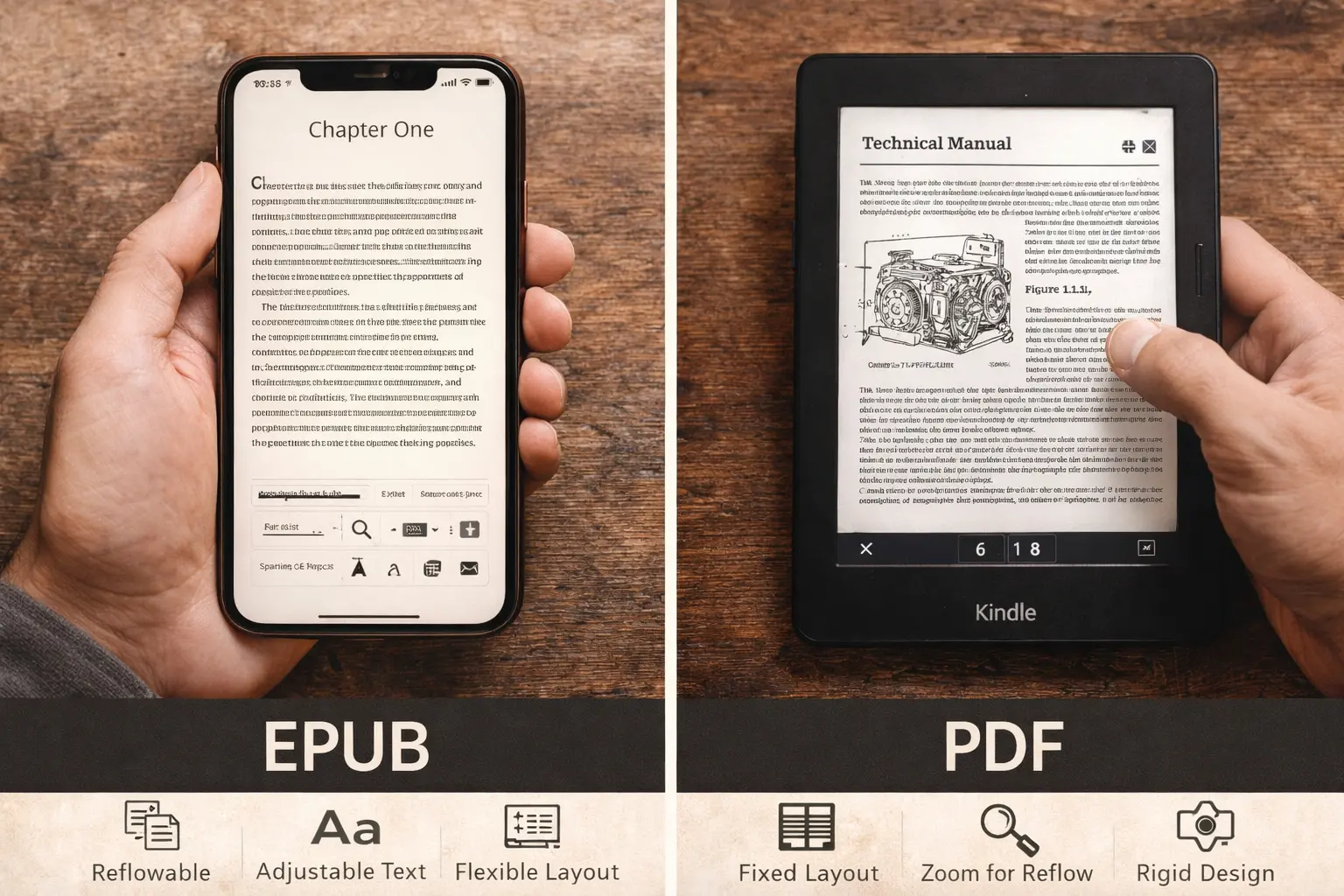
Layout and readability
EPUB (reflowable) is built to be comfortable on any screen size. Text reflows to fit the device.
PDF is built to preserve the page. That is great for design fidelity, but it can mean more zooming, panning, or scrolling on phones.
If your book is mostly continuous text, EPUB usually wins on reader comfort.
Typography controls
- EPUB: Readers can usually adjust font size and font choice, which is a big reason it is preferred for long-form reading.
- PDF: Readers often zoom. Some readers support reflow for accessibility, but results vary by file and app.
Navigation and “book features”
EPUB is designed for eBooks, so it typically handles:
- semantic table of contents
- internal navigation
- consistent chapter structure
PDFs can include bookmarks and links, but the experience depends more on the PDF viewer than on an eBook reading system.
Accessibility
EPUB 3 was designed with accessibility in mind and supports the creation of accessible publications for a wide range of user needs.
In practice, accessibility still depends on how the file is authored and what the reading system supports, but EPUB is often the easier starting point for accessible, user-controlled reading experiences (including text adjustments and text-to-speech related capabilities).
PDF can also be accessible, but it typically requires strong tagging and structure, and readers may rely on specific accessibility features in their PDF software.
Rich media and interactivity
Both formats can include interactive elements, but compatibility is the real issue.
- EPUB 3 supports advanced content using web technologies and can enable interactive experiences.
- However, not all reading systems support all EPUB features, especially audio, video, and scripting.
So while EPUB is often the better “container” for modern interactivity, you should assume uneven support across devices and always test in the actual apps your audience uses.
Retailer and platform compatibility
Most major eBook ecosystems are built around EPUB-style workflows, even when the storefront delivers a different internal format.
Amazon KDP, for example, lists multiple accepted manuscript formats including DOC/DOCX, KPF, EPUB, and PDF (with language limitations), plus others. It also notes changes like reduced support for MOBI in some workflows (for example, fixed layout).
If your goal is the broadest distribution with the least friction, EPUB is usually the most reliable primary eBook format to produce and maintain.
Why indie authors choose PDF
PDF is a strong choice when layout is the product.
Common examples:
- workbooks, journals, planners
- textbooks with complex page references
- technical manuals with labeled diagrams that must stay in place
- cookbooks with tightly designed pages
- heavily illustrated books where text overlaps images
BookBaby describes fixed format as ideal when text and images must appear in a specific, consistent way, and notes that readers generally cannot change fonts or layout in fixed formats.
A modern alternative: fixed-layout EPUB
If you want a “designed page” experience but still want an eBook format, fixed-layout EPUB is worth considering. EPUB specifications include mechanisms for fixed layout, and major platforms document fixed-layout workflows.
This is especially relevant for children’s books and illustrated titles. For example, KDP guidance for fixed-layout books with text pop-ups recommends using EPUB for that approach.
Why most eBooks are best as EPUB
If your book is:
- fiction
- narrative nonfiction
- business, self-help, memoir
- most general nonfiction with standard images
EPUB is usually the best reader experience. It is optimized for:
- long-form reading across devices
- reader-controlled typography
- smoother navigation
It is also the format most aligned with modern eBook standards and W3C publishing specs.
DRM and content protection: what has changed
A key point: DRM is not the same as file format. DRM is a protection layer applied by a platform or DRM system.
Common DRM approaches for EPUB and PDF
Adobe’s ebook infrastructure supports distributing rights-protected eBooks in PDF and EPUB (including EPUB 3) via Adobe Content Server.
Other ecosystems use different DRM schemes, and your storefront choice often determines what is available.
Amazon KDP: a notable DRM-free update
Amazon now explicitly states that effective January 20, 2026, verified purchasers can download EPUB and PDF files of a Kindle eBook if the author has chosen DRM-free for that title. If DRM is applied, reading is limited to Kindle apps and devices.
This matters because it changes the tradeoff between DRM and reader flexibility in the Kindle ecosystem. If you publish DRM-free, readers can have more device freedom, and Amazon provides EPUB and PDF downloads for verified purchasers.
Where EditionGuard fits
EditionGuard supports EPUB, MOBI, and PDF and offers multiple protection options including Adobe DRM, Readium LCP, and social DRM solutions.
In practical terms, this lets you choose protection that matches your sales channel and reader experience goals, whether you are selling direct, distributing widely, or supporting library style DRM flows.
Practical publishing tips before you decide
- Start with your primary distribution channel. If most of your sales will be retailer-based eBooks, build an EPUB-first workflow. If you are selling a workbook direct, PDF may be the more intuitive product.
- Test on real devices and apps. EPUB behavior can differ between reading systems, and EPUB 3 interactive features are not universally supported.
- If you need fixed layout, consider fixed-layout EPUB first. It can preserve design intent while keeping the file in an eBook framework.
- If you publish PDF, optimize for usability. Tagging and structure can affect accessibility and whether reflow works well in supported readers.
Final recommendation
For most indie authors, EPUB remains the best default because it is designed for comfortable reading across devices and aligns with modern publishing standards.
Choose PDF when your content depends on a fixed page design, or when your product is more like a document (workbook, manual, planner) than a traditional reflowable book.
For more guidance in formatting your ebooks, read Formatting Your eBook for Digital and Print in the EditionGuard resource library.